Relations between agents and flow map
Who this is for: whoever manages the account.
What it is for
When you have several agents, you define who can pass the conversation to whom. Each relation has a switch and a list of allowed targets.
| Relation | What it does | Who keeps answering |
|---|---|---|
| Transfer to another AI agent | Hands over the conversation | The target agent |
| Consult a transactional agent | Asks a specific question | The same agent |
| Route to a department | Moves the conversation to the human team | The department |
How to configure them
➡️
Step:Edit a conversational agent and go to the General step.
➡️
Step:Turn on the switch for the relation it needs.
➡️
Step:Check the allowed targets.
⚠️
Warning:Empty list = ALL. If you check none, the agent can use the relation with every available target. Check only the ones you want to allow. And if an agent does not need to consult, turn the switch off: each available transactional agent adds text to every request and that is paid for in tokens.
The map
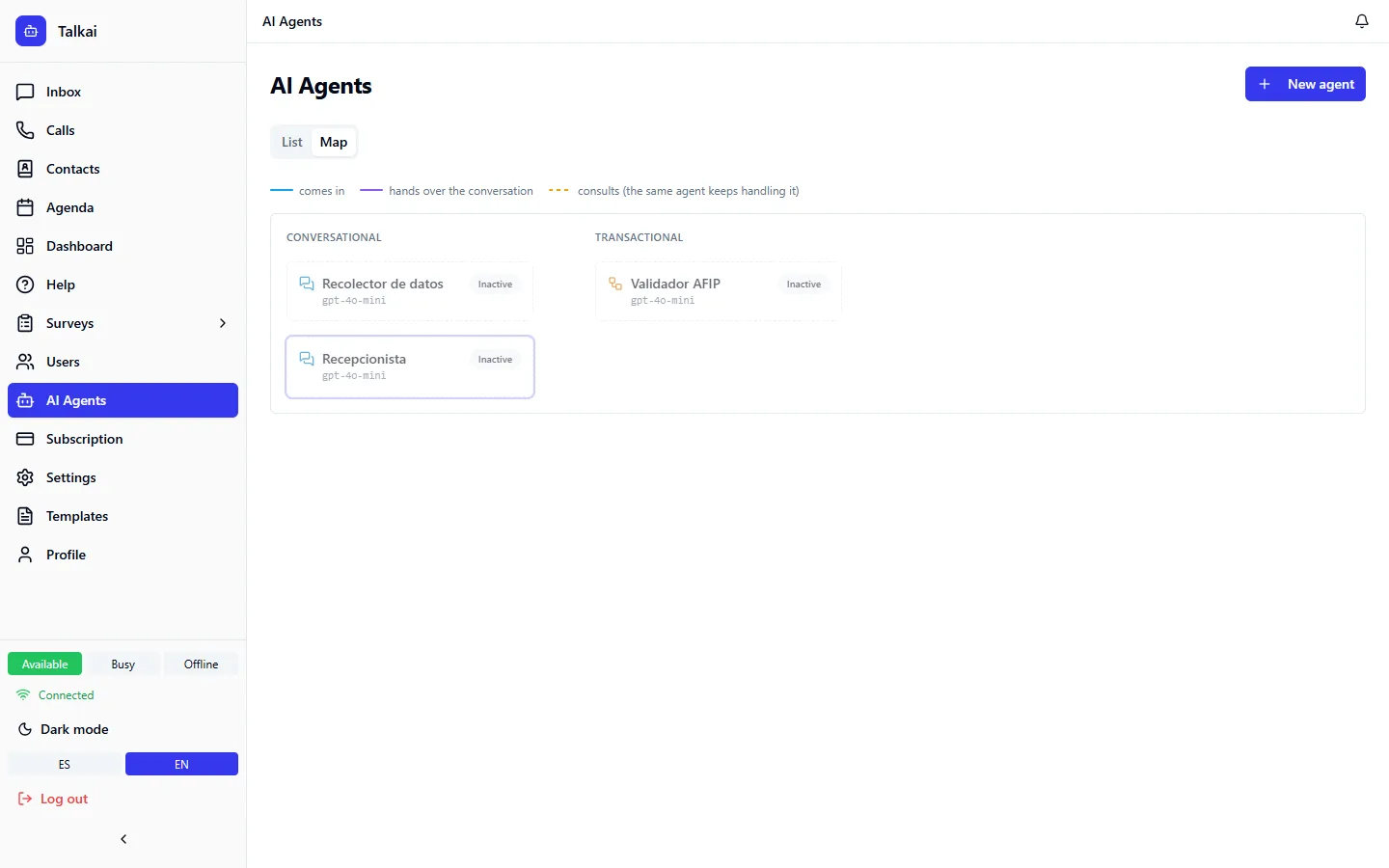
On the agents screen, switch from List to Map. You see three lanes: where the conversation comes in (channels), the conversational agents and the transactional ones, with a line legend: comes in, transfers the conversation and consults.
- Hovering over an agent highlights the whole route that touches it.
- If no conversational agent restricts whom it consults, the map says so: everyone can consult everyone.
- If a transactional agent is left out of every list, the map warns that nobody calls it.
Common mistakes
- A transactional agent nobody consults because it is left out of the lists.
- Two agents transferring the conversation back and forth: check the map.