Agent architect: build them by chatting
Who this is for: whoever manages the account.
What it is for
Instead of filling in forms, you tell it what you need and an assistant asks you questions, proposes a blueprint (which agents, how they relate and which model each uses) and, once you approve it, creates the agents as drafts.
How to use it
➡️
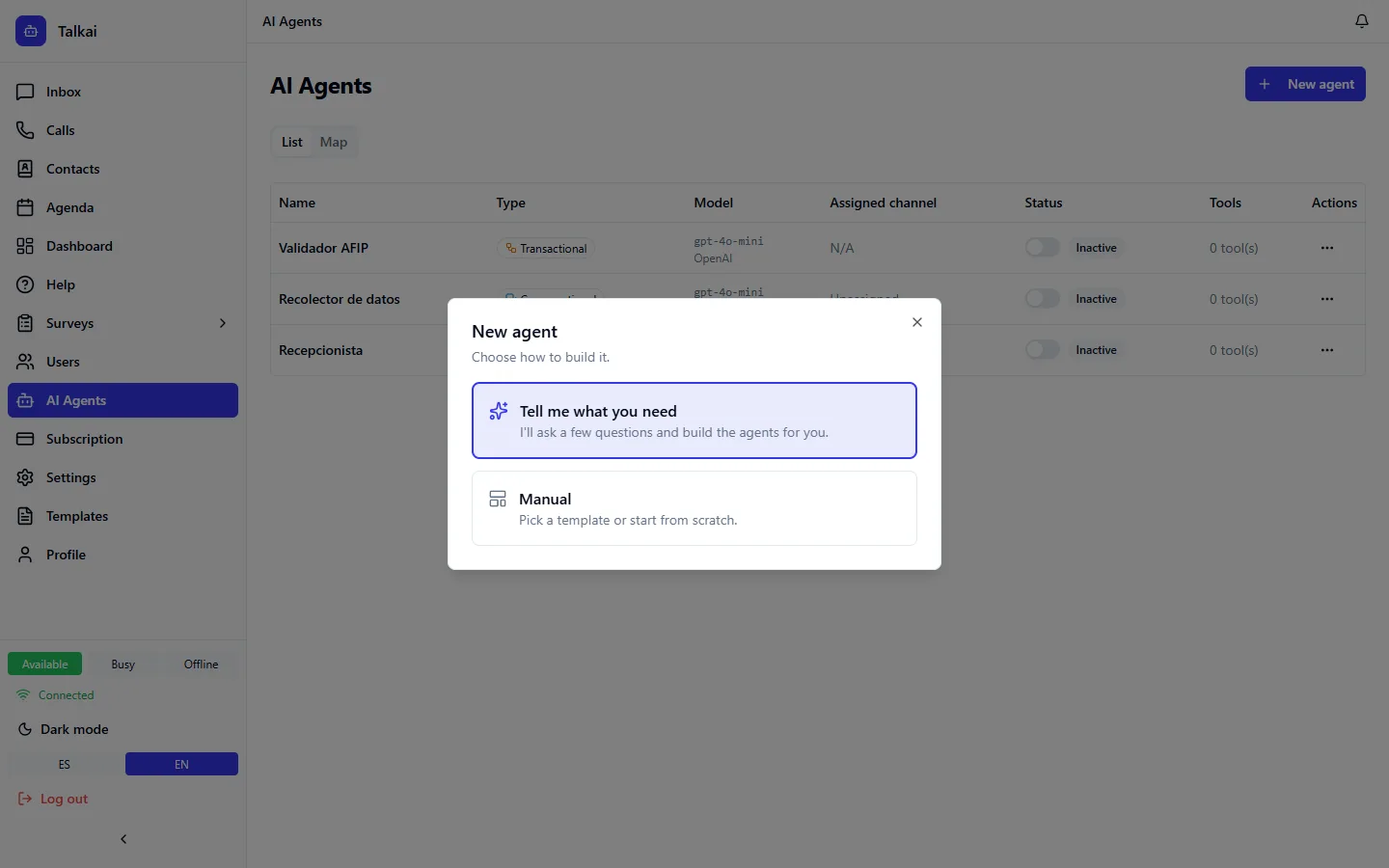
Step:In AI Agents click New agent and choose Tell me what you need.
➡️
Step:Answer the assistant's questions. You can start from a flow in the gallery by industry.
➡️
Step:Review the blueprint: what each agent will answer, when it hands off to or notifies a person and roughly how much it costs per message.
➡️
Step:If something is missing, fill in the data the card asks for (keys or credentials) and click Create drafts. If you want changes, ask for them with I want to change something.
Then follow the next steps: try each agent in the test chat, activate it and assign it a channel. See Test chat and activation.
Things to keep in mind
- The assistant runs on the platform's AI credential: you do not need to load your own key to build the agents. There is a monthly cap per account; if you reach it, it tells you and you can continue in Manual mode.
- Keys are never written in the chat: if you paste something that looks like a key, the assistant erases it and asks you to enter it in the card's secure field.
- If the proposed model is not available with what you have connected, you can change the model from the blueprint.
- Blueprint costs are estimates; prices that are not verified are marked as such.
- If you left a chat halfway, when you come back it offers to continue or start over.
ℹ️
Note:Custom-built agents (without a template) are marked, and before activating them you must try them in the test chat.
Common mistakes
- Expecting the assistant to activate the agents: it creates them as drafts.
- Pasting keys in the chat.