Agent templates and gallery by industry
Who this is for: whoever manages the account.
What it is for
Templates are agents already designed for a task: you start with a sensible prompt, tools and rules and adjust it to your business.
Template library
| Template | What it is for |
|---|---|
| Receptionist | Greets the customer, understands what they need and routes them to the right agent or area |
| Data collector | Asks, one by one, for the data you define (text, ID number, phone, dates, files) |
| Document reader | Reads invoices, orders, forms and returns the extracted data |
| Image editor | Redacts, crops or retouches images and PDFs. See Attachments |
| AFIP validator | Verifies receipts with AFIP (Argentina). See AFIP validation |
| Appointments | Offers slots and books, reschedules and cancels appointments on the calendar |
ℹ️
Note:An agent created from a template stays on the version it was created with. If you edit its prompt by hand, it stops following the template.
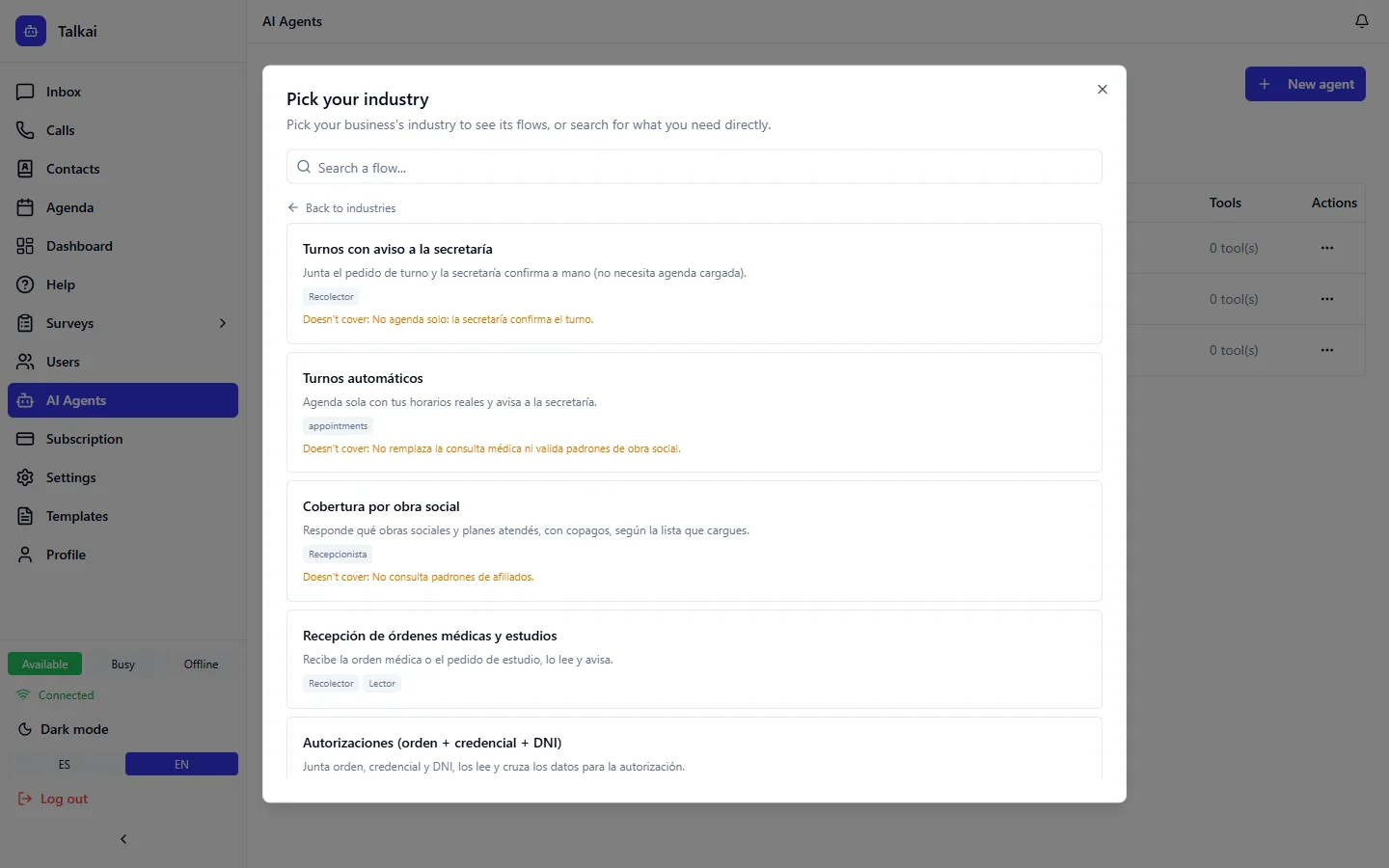
Gallery of flows by industry
A flow combines several agents and their relations for a specific case in an industry. For example, in healthcare there are appointments with a notice to the front desk, automatic appointments, insurance coverage and intake of medical orders.
There are flows for healthcare, food service, retail, real estate, automotive, education, insurance, tourism, professional and technical services, gyms and beauty, furniture, public sector, HR and a general one for any business. You can browse them on the industries page.
➡️
Step:In New agent, look for your industry in the gallery (you can also type a keyword).
➡️
Step:Choose the flow and review which agents it includes and when it fits.
➡️
Step:Go through the assistant: the flow arrives as a blueprint so you can adjust it and create the drafts.
Common mistakes
- Using a flow that does not cover your case: read "when to use it" and "what it does not cover".
- Activating without testing. See Test chat and activation.