AI providers
Who it is for: whoever manages the account
What it is for
AI agents run on the provider and model you choose. You use your own key: the provider bills the usage to your account.
Available providers
OpenAI, Anthropic, Google Gemini, xAI, DeepSeek, Groq and Mistral. Each one needs its own key and you can have several loaded at once.
Load the key
- In the provider's row, paste the key and save.
- TalkAI queries the provider and tells you how many models are available with that key. If the provider does not respond, the key is still saved but you get a warning.
- Each row has a link to get the key on the provider's site.
OpenAI also lets you load an Admin Key, used to fetch the real cost (see below).
Choose each agent's model
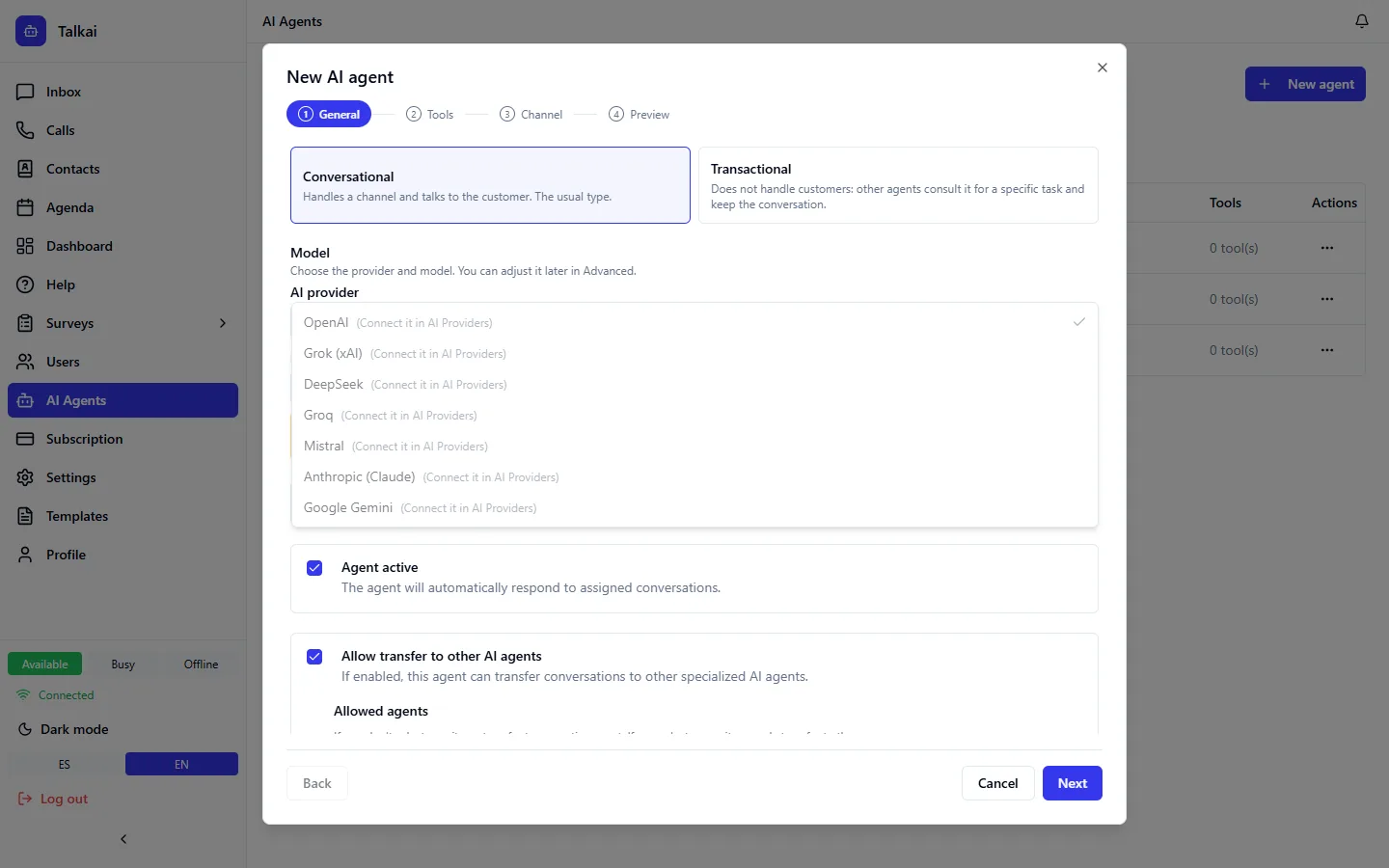
When you create or edit an agent you choose the provider and the model. Only the providers you have already connected are offered. You can use different providers on different agents.
Per-agent parameters
On each agent you can adjust:
- Temperature: how creative or predictable the replies are.
- Max tokens: the maximum length of each reply.
Audio always uses OpenAI
Audio transcription (Whisper) is always done with OpenAI, even when the agent runs on another provider. If you want agents to understand audio, load an OpenAI key.
AI cost: real and estimated
On the dashboard you see AI cost per model (see AI traces and cost):
- With OpenAI and an Admin Key the cost is the real one reported by the provider.
- With the rest it is an estimate: tokens used times our own price table.
- If a model has no known price it shows "—", never $0.
Common errors
| Problem | Fix |
|---|---|
| The provider returns no models | Check the key is complete, with no spaces, and the account has balance |
| The agent does not answer | Check that the agent's provider and model have a key loaded |
| Cut-off replies | Raise the agent's max tokens |
| Audio is not understood | The OpenAI key is missing |