Appointments and Google Calendar
Who it's for: everyone
What it's for
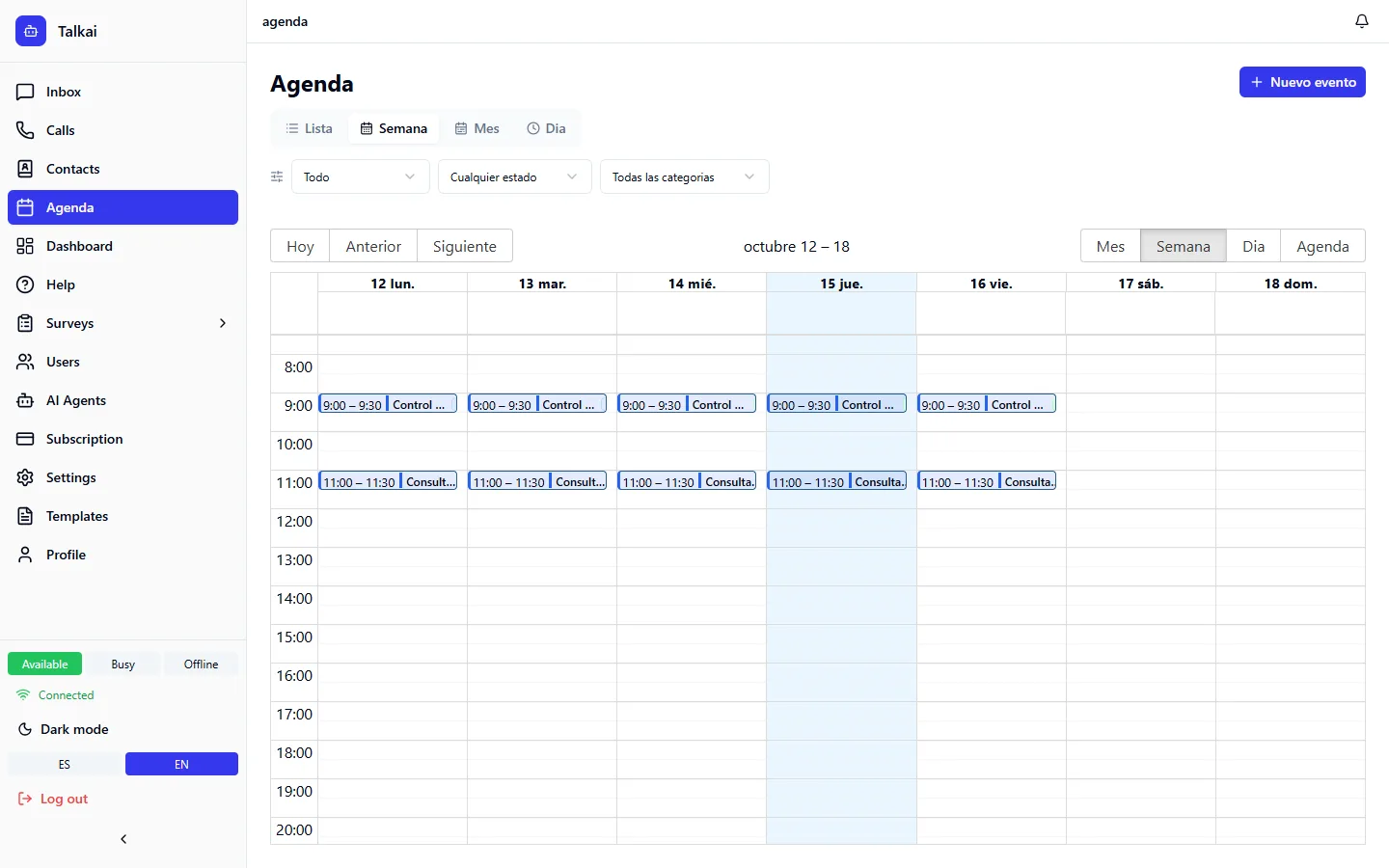
An AI agent can offer time slots and book appointments in the chat, with nobody on the team stepping in. Those appointments land on the Calendar and, if each professional connects their Google Calendar, they sync in both directions.
What the agent can do
With the calendar tools, the agent can offer available time slots, and book, list, reschedule and cancel appointments for the contact it is talking to.
Set up professionals and services
Whoever administers the account defines this when configuring the appointments agent:
Approve or reject appointments
When you open an appointment on the Calendar you see the professional, the service, the details of who requested it, the status and how many times it was rescheduled. Whoever is assigned the appointment can:
- Approve or reject pending appointments (when rejecting you can write a reason).
- Cancel an appointment (also with a reason).
- Reschedule an appointment.
- Open the chat of the conversation where it was requested.
Sync with Google Calendar
Each user connects their own Google Calendar from My profile (see My profile). The connection uses Google sign-in (OAuth), and afterwards each calendar is assigned to a professional.
- From TalkAI to Google: appointments that are booked, rescheduled or cancelled are reflected in the professional's Google calendar.
- From Google to TalkAI: anything the professional has busy in Google, even if entered by hand, blocks those times so the agent doesn't offer them. Changes or deletions of TalkAI appointments made in Google are reflected on the Calendar.
Common mistakes
- The agent doesn't offer time slots: check the professional's weekly schedule and exceptions, and that the service is linked to them.
- A time shows as busy with no TalkAI appointment: it may be an event from their Google Calendar.