Voice calls over WhatsApp
Who it's for: everyone
What it's for
TalkAI lets you talk by voice with your contacts straight from the browser, using WhatsApp's native calls (Meta), with no phone or external switchboard.
Requirements
- A plan that includes voice calls.
- A WhatsApp (Meta) number with calls enabled on the channel.
- Allow the microphone in the browser.
Receive a call
Who it rings
Whoever administers the account defines, for each WhatsApp number, who a call rings (in Settings, WhatsApp call routing section). By default it rings all available agents; you can also choose a user or a department. When you choose a user or a department, routing is strict:
- It rings only that user or the members of that department who are available.
- Available administrators always receive the call.
- There is no fallback that rings the whole team: if nobody is available, the call is logged as missed.
If the caller hangs up before anyone answers, the ringing stops for everyone and it is logged as a missed call.
Hold
When you put a call on hold, the customer hears hold music while you do something else. Resume when you're ready.
Transfer a call
During an active call you can pass it to another agent:
- Direct transfer: you hand over the call without talking to the other agent first.
- Consult first: you talk to the other agent first (the customer waits with music) and then complete the transfer, or cancel it and carry on with the customer yourself.
The agent receiving the transfer sees in their banner that it is a transfer, who it comes from and an optional note with the reason. If nobody answers, you stay on the call with the customer.
Call a customer
You can also call out yourself, from the conversation. See Outbound calls.
Call log
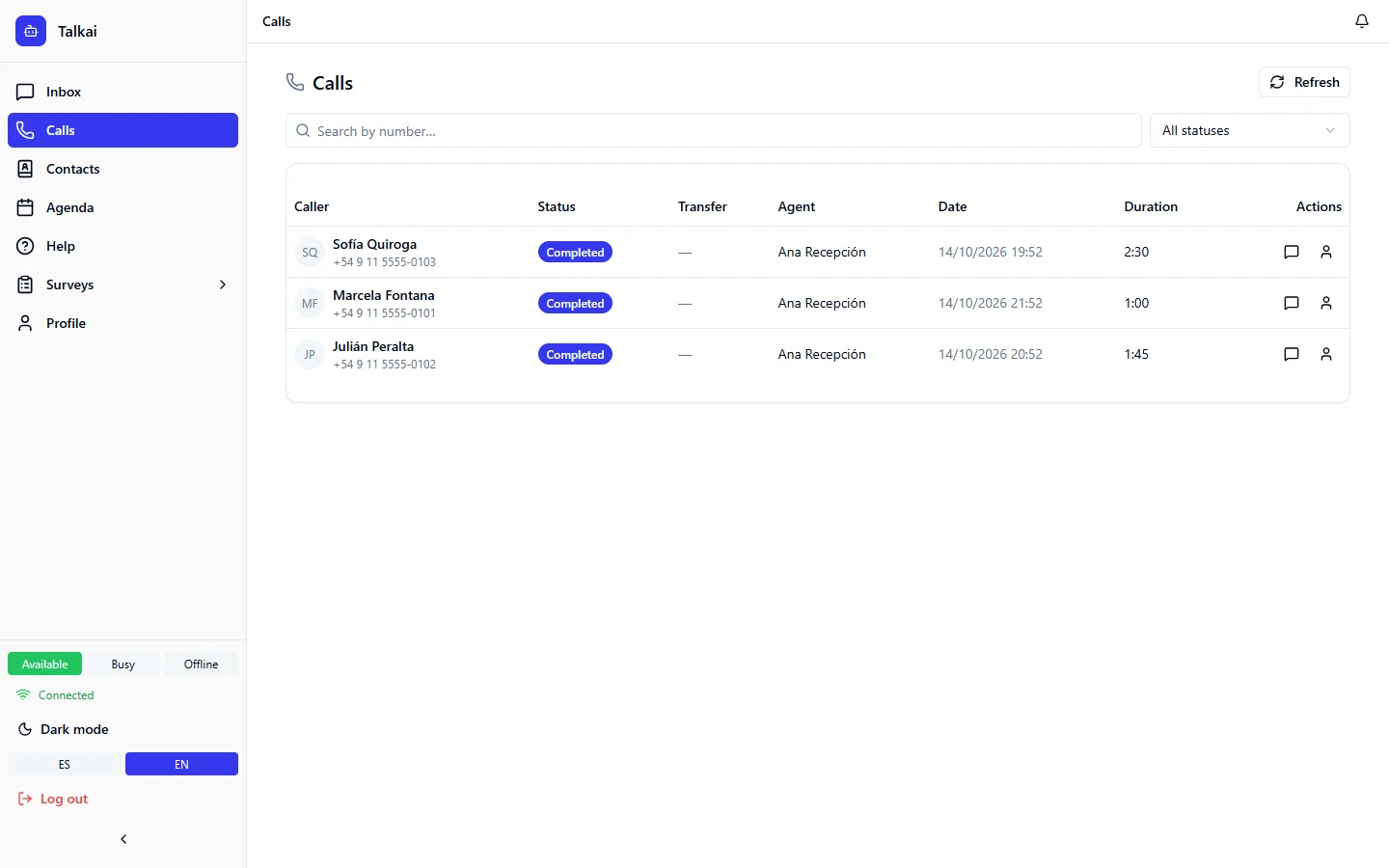
In Calls (/calls) you see the log of all calls, separate from the inbox. You can search by number, filter by status (completed, in progress, no answer, failed, etc.) and see who handled it, the duration and whether there was a transfer. From each row you go to the chat or the contact.
Internal calls between agents
Agents can call each other for internal questions, with audio, optional video and screen sharing. The incoming internal call appears with a blue banner and shows whether it is voice only or a video call.
Common mistakes
- A call doesn't ring for me: it only rings the people in the department or the assigned user, and the administrators.
- I can't hear anything: check that the browser has permission to use the microphone.