First steps after signing up
Who it is for: whoever manages the account
What it is for
This is the short path to an account that is handling conversations.
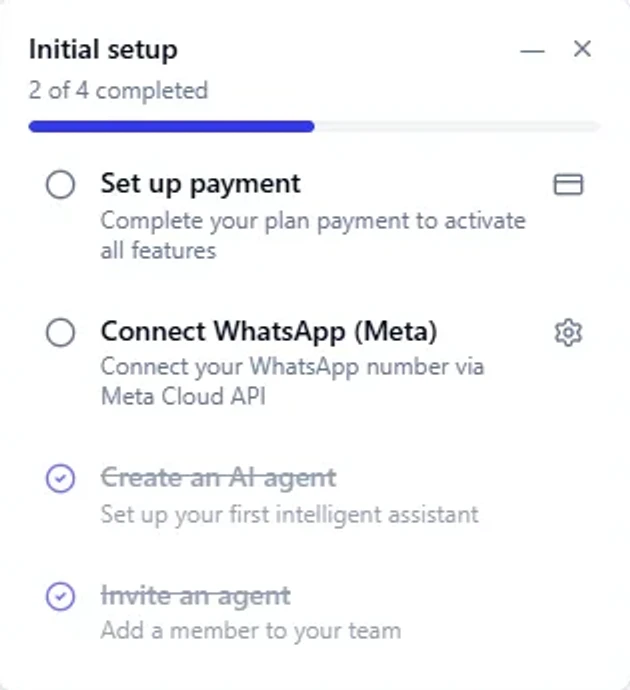
1. Connect a channel
Connect the channels your customers use to reach you. You can start with one and add the others whenever you want:
- WhatsApp: your WhatsApp Business number, connected through Meta's WhatsApp Cloud API. See Connect WhatsApp (Meta).
- Instagram: the direct messages of your Instagram Business account. See Connect Instagram.
- Facebook Messenger: the messages of your Facebook page. See Connect Messenger.
- Web chat: a widget for your website. See Web chat.
Each channel is connected only once. From then on, messages reach the inbox on their own. See Channels.
2. Load an AI provider key
If you are going to use AI agents, you need the key of at least one provider. See AI providers.
3. Create your first agent
In AI Agents choose how to start:
- Assisted: you describe what you need and the agent architect builds a draft with you.
- Manual: you complete the wizard step by step.
- From a template: you start from a ready-made agent and fill in its details. See Agent templates.
4. Try it in the test chat
Before activating an agent you must try it in the test chat and confirm that it "works the way you want". Without that you cannot activate it. See Test chat.
5. Invite your team
In Users create your team's accounts. Every user counts toward billing.
6. Amazon S3 (optional)
To store images, audio and documents you do not need anything: without S3, files are saved on the server's disk. If you want to use your own bucket, see Amazon S3.
Recommended order
| Step | What you set up | What it is for |
|---|---|---|
| 1 | WhatsApp (Meta) | Send and receive messages |
| 2 | AI provider | So agents can reply |
| 3 | Agent + test chat | Automate support with control |
| 4 | Users | Add your team |
| 5 | Amazon S3 | Optional: store files in your bucket |